
Prigmar Changelog and Updates: What's New on the Platform
How to Read This Changelog
Every entry on this page has a date next to it, and the newest one always sits at the top. That's the whole system. There's no version number to decode, no release train to track, just a plain record of what shipped and when, so you can scan the last two weeks in under a minute and get back to your day. If you ran a business before software like this existed, you know the drill: you don't read the whole manual, you check what changed since you last looked.
We post an update here the same week a feature ships, not on some quarterly schedule. Some weeks that's one entry, some weeks it's four, because we ship when something is ready, not when a calendar says it's time. If you're the kind of owner who checks in once a month, jump straight to "Latest Updates at a Glance" below and you'll catch everything you missed in about ninety seconds.
If you're new here and landed on this page first, a quick primer helps: Prigmar runs nine agents that each handle one piece of running a business alone, from answering the website chat to sending the invoice reminder you keep forgetting to send yourself. You pick which agents you turn on, and for each one you choose whether it asks you before it acts or just goes ahead and does the work. That second choice matters a lot for this page, because a good chunk of what we ship is about giving you more control over that exact decision.
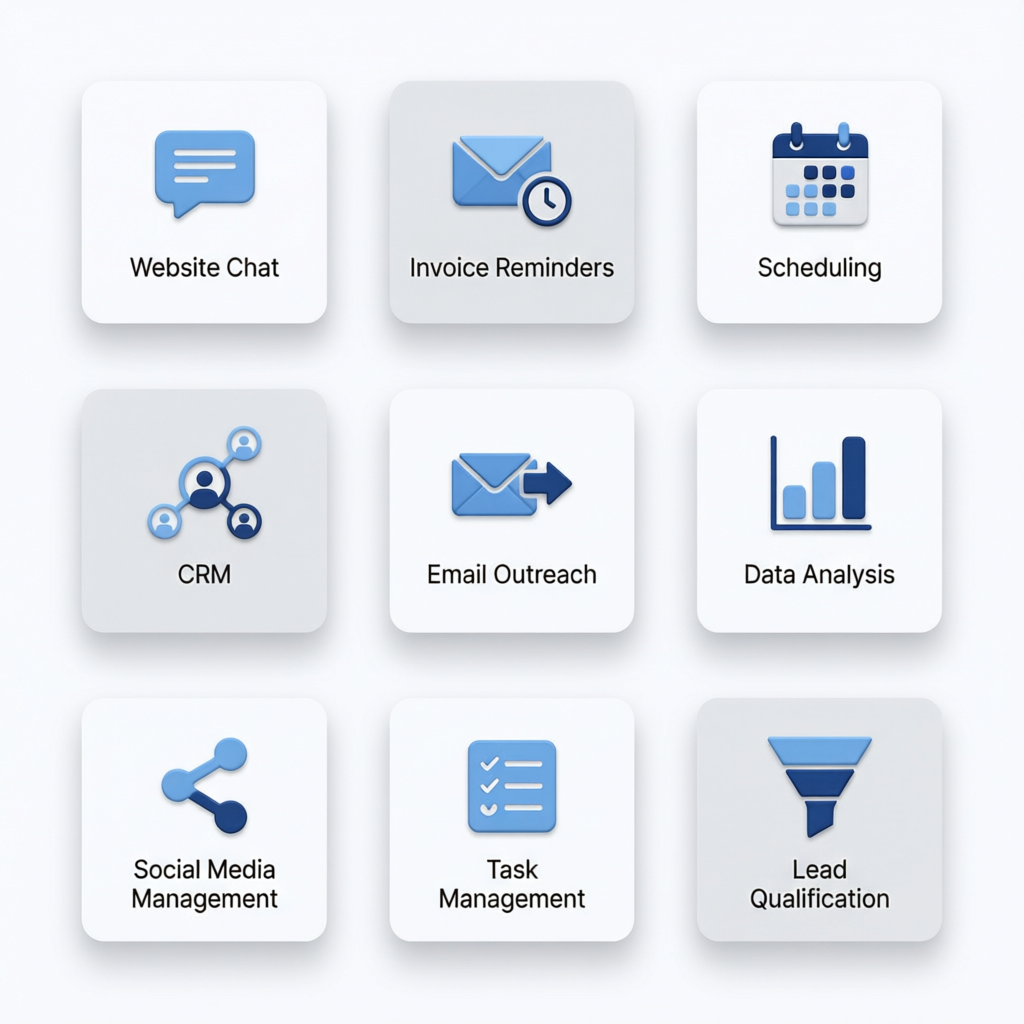
Each section below groups changes by agent, so if you only care about chat support or only care about your social calendar, you can skip straight to that section and ignore the rest. We kept the SEO agent, CRM, email, newsletter, community, invoicing, and lead acquisition updates together near the bottom since they move in smaller, steadier steps. The two sections right after this one cover the agents getting the most changes lately, because that's also where most of you have been asking questions.
Latest Updates at a Glance
Here's the short version, newest first, for anyone who just wants to know what changed since last time.
- July 2, 2026 — Chat support agent now embeds on any site with a single script tag, no developer needed.
- June 24, 2026 — Auto-posting gets a real calendar view, so you can see the next two weeks of posts at a glance before they go out.
- June 15, 2026 — Chat agent replies in the visitor's own language automatically, no setup required.
- June 8, 2026 — Approve-vs-auto-publish toggle now works per platform, not just per agent, so you can auto-publish to Instagram while still reviewing LinkedIn posts by hand.
- May 29, 2026 — Invoicing agent sends a second reminder automatically if the first one goes seven days without payment.
- May 20, 2026 — CRM agent syncs new contacts from your chat conversations without you lifting a finger.
The two entries getting the most questions from you right now are the chat agent's website install and the new auto-posting calendar, so we're covering both in full below.
New: Chat Support Agent for Your Website
Here's the problem this solves: someone lands on your site at 9pm looking for your hours, your price for a job, or whether you can fit them in Thursday, and nobody's there to answer. By the time you see the message in the morning, they've already messaged your competitor instead. The chat support agent sits on your site around the clock and answers that question the second it's asked, using the details you've already given it about your business, your services, and your pricing.
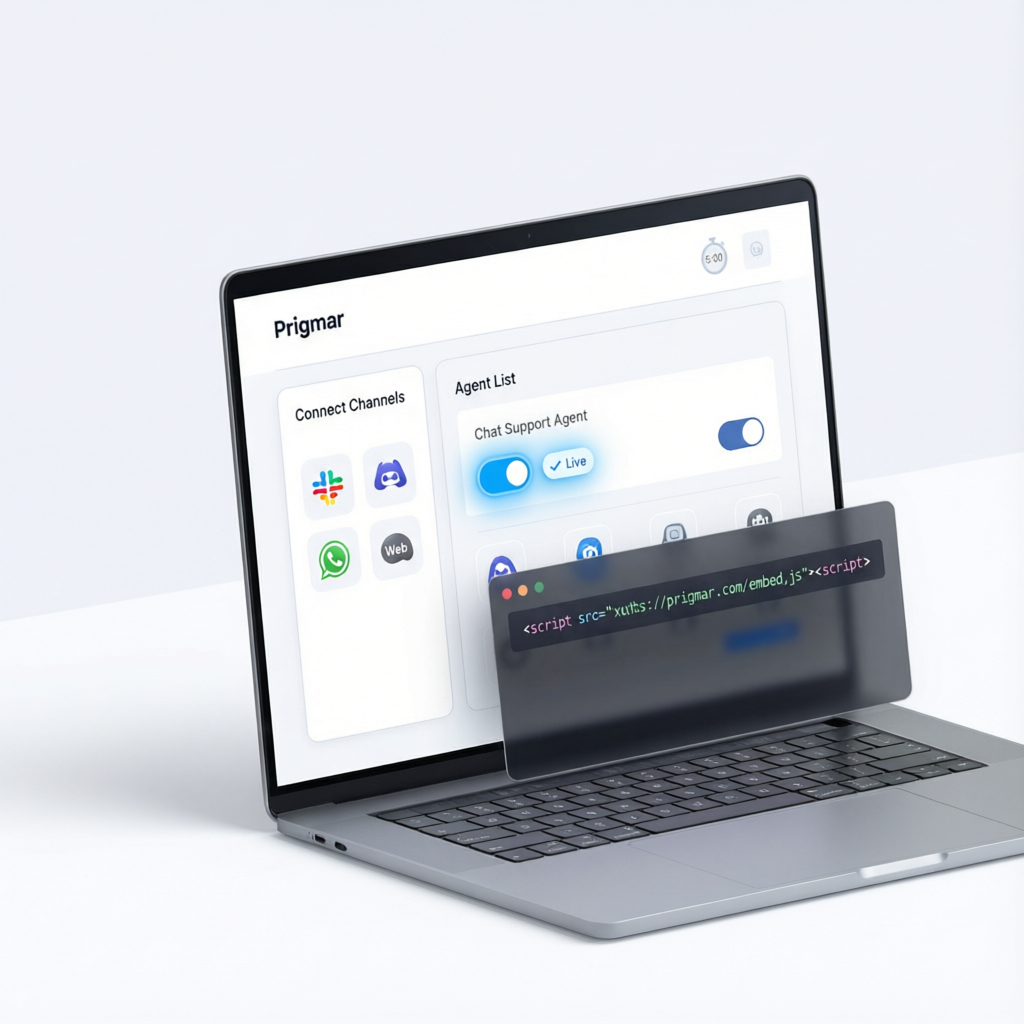
Getting it live takes about five minutes. You connect your channels inside Prigmar, turn on the chat support agent from your agent list, and paste one line of embed code into your site right before the closing body tag. No developer, no plugin approval, no waiting on anyone. Once it's in, the widget shows up in the corner of every page automatically, styled to roughly match your site's colors out of the box.
The agent answers the questions you get asked every day: hours, location, what you charge for common jobs, whether you take walk-ins, how booking works. When someone asks something it can't answer confidently, or asks to speak to a real person, it hands the conversation off to you with the full transcript attached, so you're not starting from zero when you pick it up in the morning. For the full walkthrough, including how to customize what it says, see How to add the Prigmar chat support agent to your website.
Improved: Auto-Posting for Social Media
The problem here is a familiar one: you post three times in a good week, then the calendar goes quiet for a month because you got busy with actual jobs. Auto-posting exists so the calendar doesn't depend on you remembering. This update adds real scheduling controls on top of that: you can now set specific days and times per platform, see the upcoming two weeks in one calendar view, and move a post with a drag instead of deleting and rebuilding it.
The bigger change is the approve-vs-auto-publish toggle now works per platform instead of only per agent. That means you can let posts go out to Instagram automatically the moment they're scheduled, while still getting a quick approval prompt before anything hits LinkedIn, if that's the one where you want the final look. Supported channels for auto-posting right now include Instagram, Facebook, and LinkedIn, with more on the way. Full setup steps live in Setting up auto-posting for social media with Prigmar.
Chat Support Agent Updates
This section is the running log for everything specific to the chat agent, in order. On June 15, replies started going out in the visitor's own language automatically, detected from what they type, no language setting to dig for in a menu. That one came directly from owners telling us they were losing customers who didn't speak English as a first language and gave up mid-conversation.
Before that, on June 3, we shipped widget customization: you can now match the chat bubble's color and position to your site instead of using the default look, and pick between a floating bubble or a fixed bar at the bottom of the page. It's a small thing, but a chat widget that looks bolted on instead of built in makes visitors trust it less, and trust is the whole point of having someone answer at all.
Going back further, May 18 added the handoff transcript feature mentioned above, so when the agent passes a conversation to you, you get the full back-and-forth instead of just a name and a phone number. That change came out of feedback that owners were calling people back and asking questions the visitor had already answered, which reads as sloppy even when the answer's ready to go.
The embed widget itself first went live on May 5, letting the chat agent sit on any website through a single script tag rather than requiring a specific site builder or plugin. That's the release this whole section builds on, and it's the reason a one-person shop with a plain HTML site and a big franchise on a custom platform can both turn this on the same afternoon. For the current install steps and what the widget can answer out of the box, see How to add the Prigmar chat support agent to your website.
Auto-Posting and Social Media Agent Updates
The scheduling engine underneath auto-posting got a real rebuild this quarter, not just a new screen on top of the old one. Posts used to queue in the order you wrote them; now the engine actually respects the day and time you set per platform, so a post you want live Tuesday at 9am goes out Tuesday at 9am instead of whenever it happens to reach the front of the line. That sounds basic, but it's the single most requested fix we've gotten since auto-posting launched.
The publishing calendar, added June 24, is the visible half of that rebuild. You get a two-week view of everything scheduled, color-coded by platform, and you can drag a post to a new day instead of canceling and rewriting it. If you're the kind of owner who likes to eyeball the whole month before anything goes out, this is the screen you'll live in, and it pairs directly with the approve-vs-auto-publish toggle covered below.
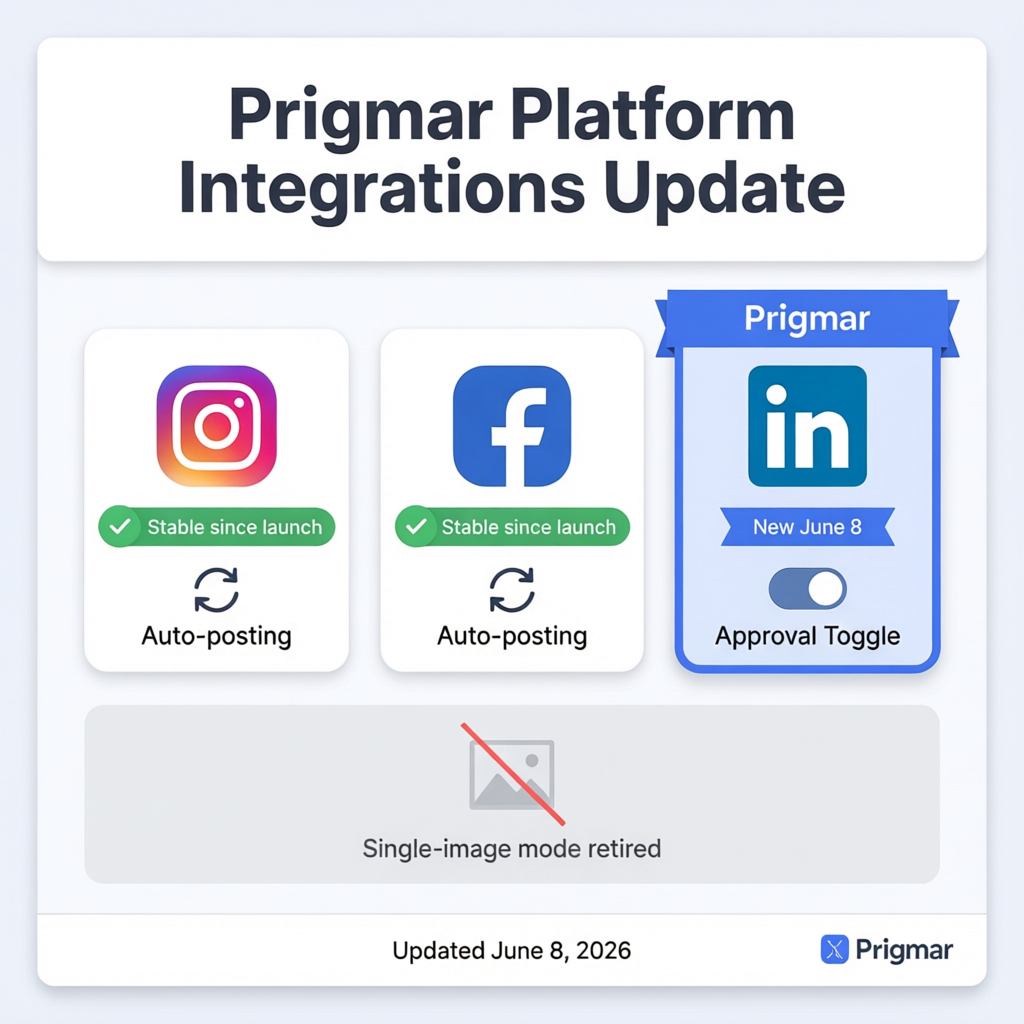
On platform integrations, Instagram and Facebook auto-posting have been stable since launch, and LinkedIn joined the list on June 8 alongside the per-platform approval toggle. We also retired the older single-image-only posting mode in favor of full carousel and multi-image support across all three platforms, since most of you were posting more than one photo per job anyway. Nothing was removed that anyone was actively depending on; the old mode simply got replaced by a strictly better one on the same release.
If you haven't set up auto-posting yet, or you're deciding which platforms should run on autopilot versus which ones you want to eyeball first, the full guide walks through both: Setting up auto-posting for social media with Prigmar.
Updates Across Other Agents
The other seven agents don't change as fast as chat and social, but they move steadily, and a few recent updates are worth knowing about even if they're not the headline this month. The email agent picked up better subject-line variation so your newsletter doesn't look identical to last month's at a glance, and the newsletter automation now pulls your latest blog posts into the send automatically instead of requiring you to paste links in by hand. The community management agent got faster at flagging comments that need a human reply versus ones it can handle on its own, which matters most for owners running an active social presence alongside auto-posting. The lead acquisition agent now tags where a lead came from before it lands in your CRM, so you're not guessing whether a new contact found you through chat, a form, or social.
SEO and Content Agent
The SEO and content agent's keyword research got noticeably sharper this quarter. It now weighs local search volume more heavily for owners running a single-location business, instead of surfacing keywords that only make sense for a chain with locations in ten cities. Content briefs generated by the agent also include a suggested internal link list pulled from your own site's existing pages, so a new blog post is more likely to link back to your services page or your booking page without you having to remember to add that yourself. If you want the full picture of how this agent fits alongside the other eight, see Overview of all nine Prigmar AI agents.
CRM and Invoicing Agents
The CRM agent now syncs new contacts the moment someone messages your chat widget, instead of waiting for a nightly batch job, so a lead from an 11pm chat conversation shows up in your CRM before you've had coffee. Contact records also merge automatically when the same person reaches you through two channels, like chat and then email, instead of creating a duplicate you have to clean up later. On the invoicing side, the agent now sends a second reminder automatically if an invoice sits unpaid seven days after the first one, which came directly from owners telling us they kept meaning to chase a late payment and kept forgetting. Billing itself got a small but real fix: annual plans now show the 40% discount applied at checkout instead of only in the pricing table, so the number you see matches the number you pay.
Bug Fixes and Performance Improvements
Not everything on this page is a new feature, and some of the most-felt changes are the ones nobody notices because they just quietly stop being annoying. The chat widget used to take a couple of seconds to load on slower mobile connections, long enough that a visitor might close the tab before it appeared; that load time is down significantly after a rework of how the widget script initializes. Auto-posting had an intermittent issue where a scheduled post could silently fail to publish if an image was too large for a given platform's limit; posts now get resized automatically before they're queued, so that failure mode is gone.

On the CRM side, we fixed a sync delay that occasionally showed a contact's last conversation as hours old when it had actually just happened, which was confusing when you were trying to follow up in real time. The invoicing agent had a rare bug where a paid invoice could still show as outstanding in your dashboard for a few minutes after payment cleared; that's now reflected within seconds. None of these were flashy, but each one was the kind of small friction that makes you trust the system less every time it happens, and fixing them matters as much as shipping something new.
How to Enable New Features
Everything covered on this page gets turned on the same way: from your agent picker inside Prigmar, where all nine agents are listed with a simple on-or-off switch for each. Turning on the chat support agent or the social media agent doesn't touch anything else you've already set up; each agent runs independently, so adding one doesn't change how the others behave.
Once an agent is on, the second decision is whether it works on approval or auto-publish. Approval means the agent drafts the work, whether that's a reply, a post, or an invoice reminder, and waits for your yes before anything goes out. Auto-publish means it just does the work the moment it's ready, no prompt, no waiting on you. As of the June 8 update, you can set this per platform for social posting and per conversation type for chat, so you're not stuck choosing one setting for an entire agent when really you only trust it fully with some of the work. If you're not sure which setting fits your situation, Approve vs auto-publish: choosing your Prigmar workflow walks through how other owners have split that decision. And if a new feature depends on a channel you haven't connected yet, like a specific social platform or your email inbox, Connecting your channels to Prigmar covers that setup in one place.
What's Coming Next
A few things in progress now, without promising exact dates, since we'd rather ship something solid late than something half-finished on time. Voice-based chat replies are in testing, so a visitor could eventually call your business number and reach the same agent that answers your site chat, instead of two separate systems that don't know about each other. We're also building a shared inbox view that pulls chat handoffs, email replies needing a human, and flagged community comments into one screen, so you're not checking three different tabs to find the messages that actually need you.
On the social side, we're testing auto-posting for TikTok and Google Business Profile updates, both requested often enough that they're now active work rather than a maybe. And on the invoicing side, we're building a way to auto-adjust a reminder's tone the longer an invoice sits unpaid, starting friendly and getting more direct without you having to write that second or third message yourself. None of this is locked to a release date yet, but all of it is being built, and it'll show up on this same page the week it ships.

Stay Updated on Prigmar Releases
This page is the one place everything lands, so bookmarking it beats waiting to stumble across a feature by accident three months after it shipped. Check back every couple of weeks, or sooner if you've been waiting on something specific, like the chat agent or the new auto-posting calendar covered above.
If you haven't set either of those up yet, start with the two guides most owners are asking for right now: How to add the Prigmar chat support agent to your website to get your site answering visitors tonight, and Setting up auto-posting for social media with Prigmar to get next week's posts scheduled before you forget. Either one takes about five minutes, and both are already live, not on some roadmap you have to wait for.